Why is my Vuse Ultra Not Working? The Complete Troubleshooting Guide
Key summary: Most Vuse Ultra faults take under five minutes to fix and don’t mean the device is broken. Check whether it’s simply locked, look at the ClearView screen for a numbered error code, then work through the matching fix below, covering no vapour, charging, a burnt taste, and leaking pods. If the same error keeps coming back after a fresh pod and a full charge, that’s your signal to stop troubleshooting and replace it.
If your Vuse Ultra has stopped working, there’s a good chance it isn’t actually broken. The single most common reason an Ultra looks completely dead is that it’s locked, not faulty.
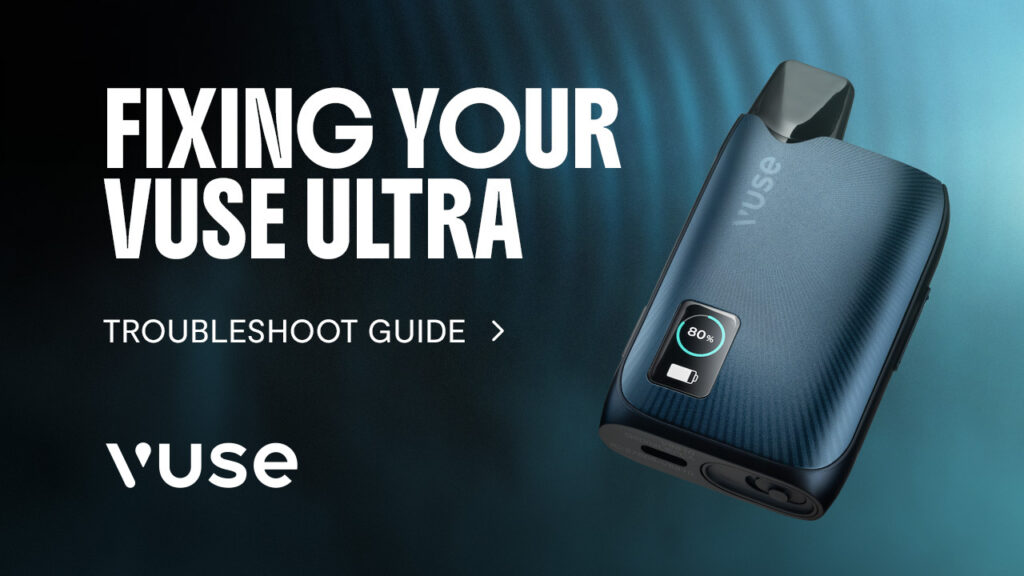
Ultra devices don’t fail quietly. When something’s wrong, the ClearView screen tells you exactly what, with a numbered error code that maps to a specific cause. No vapour, a burnt taste, a leaking pod, a device that won’t charge: each has its own fix, and most take under five minutes once you know where to look.
Setting the Ultra up for the first time? Our Vuse Ultra setup guide covers that separately.
Contents
- Is your Vuse Ultra Locked, Not Broken?
- Understand your Vuse Ultra’s Error Codes
- Why is my Vuse Ultra Not Producing Vapour?
- Why is my Vuse Ultra Not Charging?
- Why does my Vuse Ultra Taste Burnt?
- Why is my Vuse Ultra Pod Leaking or Gurgling?
- When to Stop Troubleshooting and Replace your Vuse Ultra
- Sorted the Cause? Here’s What you Need Next
- Frequently Asked Questions
Is your Vuse Ultra Locked, Not Broken?
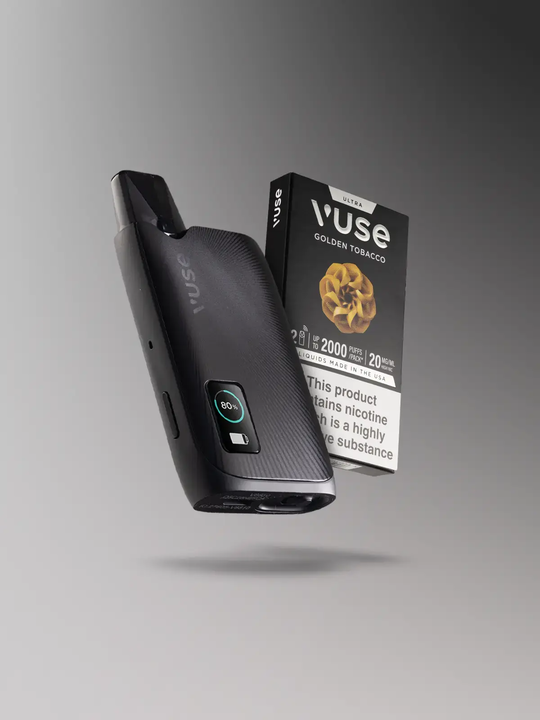
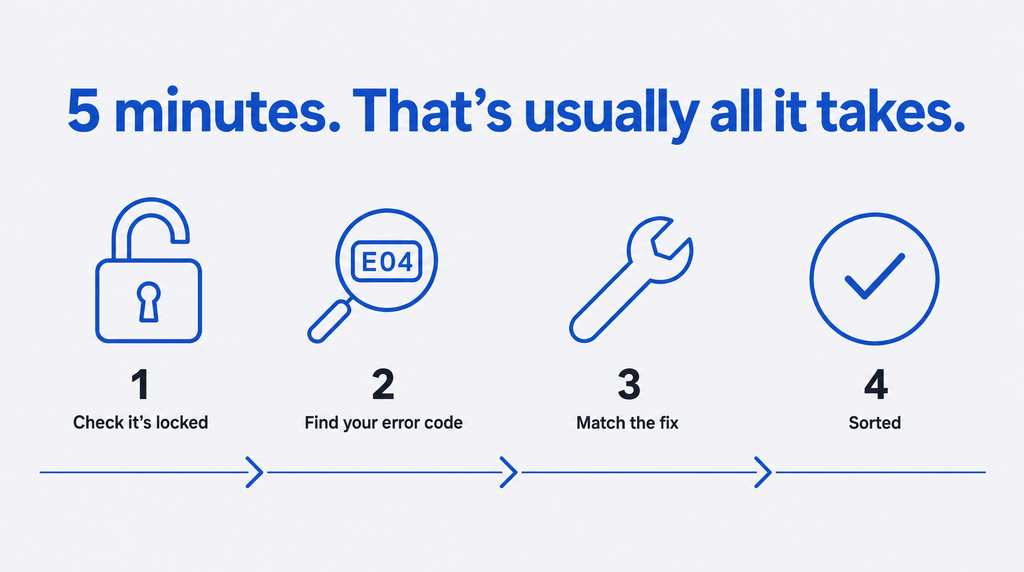
A locked Vuse Ultra produces no vapour, no light and no response to a draw, which is easy to mistake for a dead device. The Ultra has a built-in Device Lock feature, confirmed by BAT, designed so it can’t switch on by accident in a pocket or bag.
Anyone used to a simpler, draw-activated Vuse won’t expect a lock at all. When the device suddenly gives nothing back, a fault feels like the obvious explanation.
To unlock a Vuse Ultra:
- Click the Menu button on the device three times within about 2.5 seconds.
- Wait for the ClearView screen to confirm the device has unlocked.
- If you’ve paired the device with the MyVuse app, check that Auto-Lock hasn’t been triggered by the device going out of Bluetooth range of your phone.
Understand your Vuse Ultra’s Error Codes
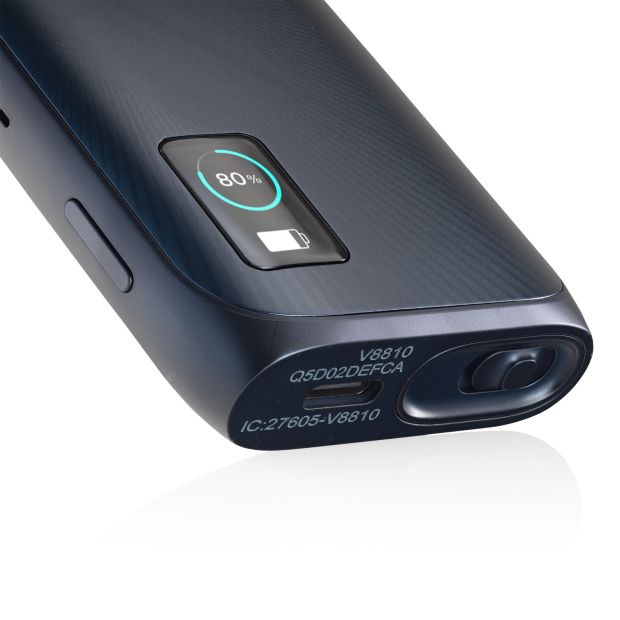
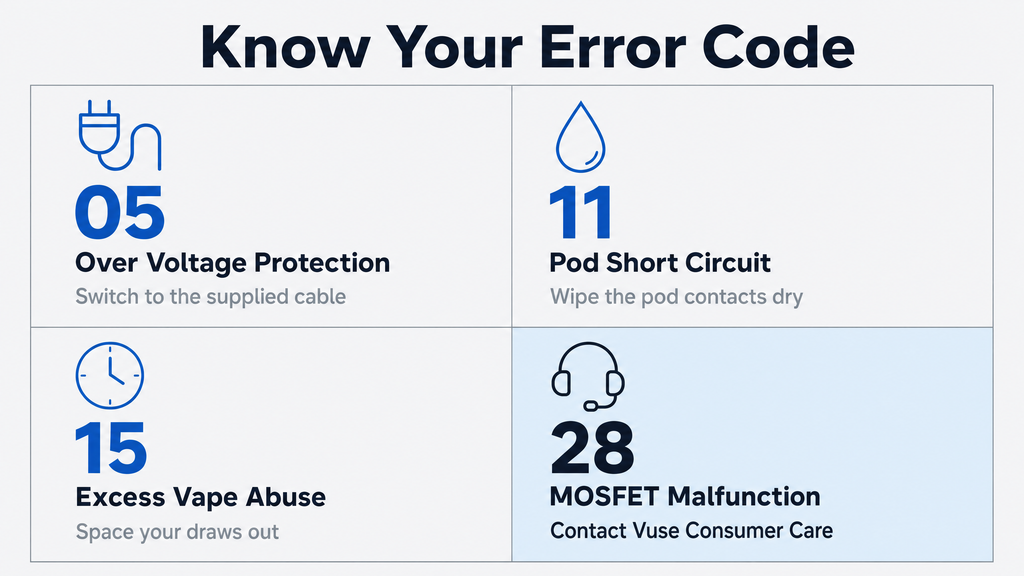
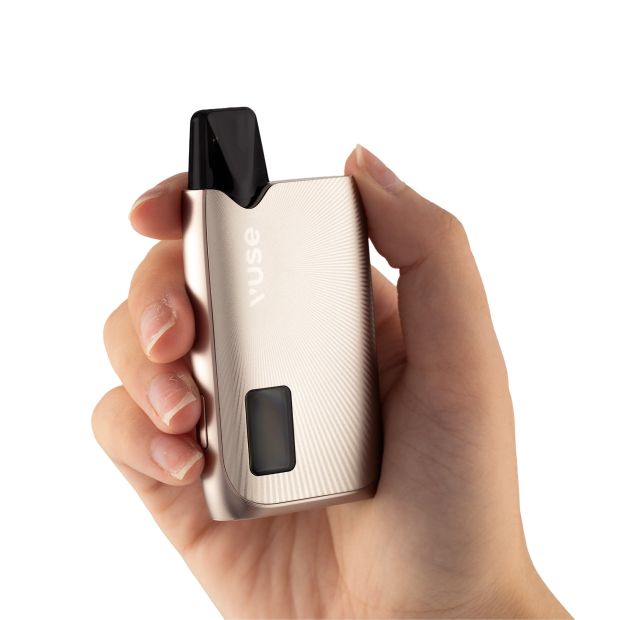
The Vuse Ultra’s ClearView screen shows a numbered error code whenever something needs attention. Each code maps to a specific, fixable cause, from charging temperature and pod issues to a genuine hardware fault.
| Code | Name | Likely cause | Quick fix |
| 5 | Over Voltage Protection | Charger or cable is delivering more voltage than the device expects | Switch to the supplied USB-C cable and try a different, lower voltage power source |
| 6 | Under Voltage Protection | Power source isn’t delivering enough voltage to charge safely | Use the supplied cable plugged directly into a wall adapter, not a laptop USB port |
| 7 | Battery Over Temp – Puffing | Device has got too warm during use, usually from vaping back to back | Let it cool at room temperature for 10 to 15 minutes before using it again |
| 11 | Pod Short Circuit | Pod contacts are bridged by moisture or residue | Remove the pod, wipe the contacts dry, and try a different pod |
| 12 | Battery Under Temp – charging | Device is too cold to charge safely | Bring it to room temperature before plugging in |
| 13 | Battery Over Temp – charging | Device is too warm to charge safely | Let it cool before plugging in again |
| 14 | Charging Cut Off | Charging has been halted as a safety measure, often after prolonged charging | Unplug, wait a few minutes, then reconnect the cable |
| 15 | Excess Vape Abuse | Draws are being taken too long or too close together for the device’s protection limits | Space your draws out; the device should reset once usage returns to normal |
| 16 | Excess Vape Abuse | Same as code 15: repeated draws outside the device’s safe pattern | Space your draws out; the device should reset once usage returns to normal |
| 20 | Fuel Gauge Error | Battery’s charge-tracking sensor has lost an accurate reading | Fully charge the device, then let it fully discharge before charging again |
| 21 | Pressure Sensor Failure | The sensor that detects your draw is struggling, usually from dirt or moisture rather than a real fault | Remove the pod, check for residue around the sensor and clean it, re-insert the pod and try again |
| 24 | Pod Large Resistance | Pod’s coil resistance is reading outside the expected range | Remove and re-insert the pod; if the code persists, try a new pod |
| 25 | Smart Pod Authentication Error | Device can’t verify the pod as genuine, often from a seating issue rather than a fake pod | Remove the pod, wipe the contacts, and reseat it firmly |
| 28 | MOSFET Malfunction | Points to a hardware fault in the device itself, not the pod or charging | Contact Vuse Consumer Care or the retailer you purchased it from; this one isn’t a DIY fix |
Codes 15 and 16 flag the same issue: an excess draw pattern. The fix is identical for either. Every other code on this table has a pod, contact, or temperature explanation behind it. Code 28 doesn’t: a MOSFET Malfunction means the fault sits in the device’s own circuitry, not something you can fix at home.
Why is my Vuse Ultra Not Producing Vapour?
A Vuse Ultra producing no vapour almost always comes down to one of four things: a low battery, a locked device, an active error code, or a pod that’s empty or badly seated. Most cases sort out in under a minute once you check them in order.
- Look at the battery indicator on the ClearView screen. If it’s empty, charge before doing anything else.
- Confirm the device isn’t locked (see the section above).
- Check the screen for an error code and cross-reference the table.
- Remove the pod and inspect the contacts.
Condensation, e-liquid residue, or a bit of pocket lint can sit across the pod contacts and break the circuit even when the pod looks properly seated, magnetic connection and all. Wipe the contacts with a dry cloth, re-insert the pod firmly, and take a normal draw rather than a hard pull. If this still doesn’t work, try a new pod.
A hard, forced pull won’t fix a poor connection. It just wastes e-liquid the device isn’t set up to vaporise.
Why is my Vuse Ultra Not Charging?
A Vuse Ultra that won’t charge is usually stopped by one of three things: a dirty contact, the wrong cable, or the device’s own built-in protection, which halts charging outside a safe voltage or temperature range rather than letting the battery take damage.
Start with the basics. Wipe the charging contacts with a dry cloth, then use the supplied USB-C cable rather than a random cable from a drawer. A full charge should take under 50 minutes.
Still not charging? Check the protection circuit. It won’t allow charging if the battery is too hot, too cold, or if the incoming voltage sits outside its expected range. The safeguard is working as intended. The Vuse Ultra also features a removable battery, so if the battery is still not charging once you’ve allowed your device to cool down, you can purchase a Vuse Ultra replacement battery to remedy this.
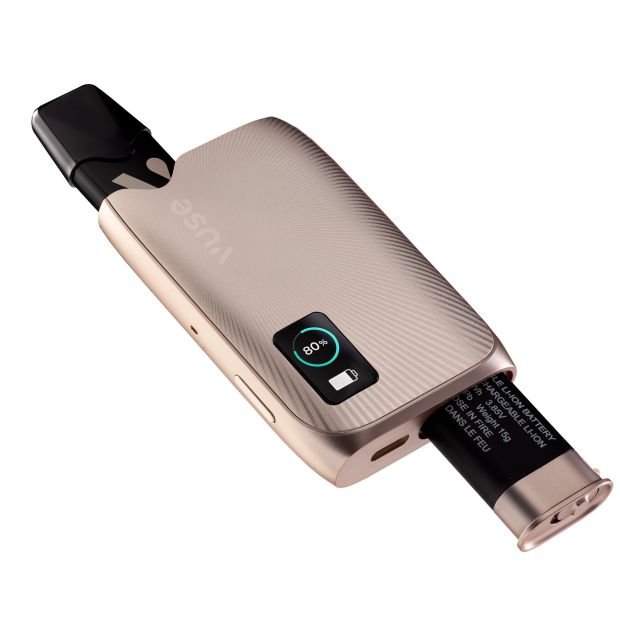
If the device won’t start at all after a full charge attempt and a replacement battery, Vuse’s own guidance is to remove the battery and contact Consumer Care rather than force it.
Why does my Vuse Ultra Taste Burnt?
A burnt taste means the wick inside the pod has run dry and the coil is scorching it instead of vaporising e-liquid, most often triggered by chain vaping or a near-empty pod. The fix depends on which one caused it.
Chain vaping is the usual culprit. Inhale back-to-back, and the wick doesn’t get time to re-soak with e-liquid between puffs, so the coil starts heating dry cotton instead. Space your draws out, and the wick catches back up on its own.
There’s a difference between a dry hit, where the wick briefly runs short of e-liquid without permanent damage, and a burnt coil. If the taste clears after resting the device for 5 to 10 minutes, it was a dry hit. If it doesn’t, the coil’s burnt for good.
A burnt Ultra pod can’t be rescued; therefore, the only fix is a fresh Vuse Ultra pod.
Why is my Vuse Ultra Pod Leaking or Gurgling?
Most apparent leaks on a Vuse Ultra are condensation, not a fault: vapour meeting the cooler inside of the device forms droplets that can look like a leak but aren’t one. A genuine leak or a gurgling, spitting sound usually points to a cracked pod, back-puffing, or a Vuse pod that’s reached the end of its life.
- Condensation: a light film or a few small droplets around the pod’s edge, no drop in vapour quality, no odd sound.
- Genuine leak: visible pooling of e-liquid, a drop in flavour or vapour production, or a wet mouthpiece that keeps coming back after wiping it dry.
- Gurgling or spitting: e-liquid has flooded the coil, often from drawing too hard or too long in one go.
Back-puffing, exhaling through the mouthpiece rather than a straight draw in, pushes e-liquid the wrong way through the pod and is a common cause of a genuine leak. Check the pod itself for cracks around the seams too. If it’s damaged or worn out, swap it for a fresh Vuse Ultra pod. If the pod is gurgling/spitting, remove the pod and place a tissue on the base of it. Then, blow into the mouthpiece to remove the excess e-liquid. Finally, re-insert your pod and you should be able to vape as normal.
When to Stop Troubleshooting and Replace your Vuse Ultra
Some signs mean stop immediately rather than keep testing: a device that’s cracked, or running unusually hot, or one that shows the same error code repeatedly even with a fresh pod and a full charge. At that point, the fix is replacement or contacting the manufacturer you purchased it from, not further troubleshooting.
Swelling and unusual heat are the two to take most seriously. Both are signs a lithium battery is under stress – stop using the device immediately if you see either.
A repeated identical error code is the other clear signal. If you’ve tried a fresh pod, a full charge, and the same code still shows up, that’s the device telling you it’s not a consumable-side problem. Code 28, MOSFET Malfunction, points to the device’s own circuitry, not the pod or the charger.
Vuse Consumer Care can advise on a specific fault, or you can go straight to a replacement. Individual Vuse Ultra pod SKUs are notified to the MHRA, so if you’re checking a pod’s legitimacy rather than the device itself, that’s the place to look.
If it’s the device that’s done, not just the pod, the Vuse range covers what else is available, or Vuse rechargeable kits if you’re staying with the Ultra line specifically.
Sorted the Cause? Here’s What you Need Next
Diagnosed a pod fault? Replace it with a Vuse Ultra pod. Reached the end of the device itself? The Vuse Ultra Vape Kit can be purchased here.
Frequently Asked Questions
Check the numbered code on your ClearView screen against the table above. You can also view codes in more detail through the MyVuse app.
There’s no dedicated reset function confirmed for the Ultra. If the device won’t start after charging, Vuse’s own guidance is to remove the battery and contact Consumer Care rather than attempt a manual reset.
Vuse Ultra pods are rated for up to 1,000 puffs per 2ml pod. Actual puff count varies with draw length and frequency, so a pod running out earlier than expected isn’t necessarily faulty.
A full charge takes under 50 minutes using the supplied USB-C cable.
The Ultra uses its ClearView screen and numbered error codes rather than the flashing-light patterns older Vuse devices use. If you’re seeing flashing lights with no code on screen, check the screen directly, or confirm which Vuse device you have.