How to Use the Ploom Aura: A Complete Beginner’s Guide
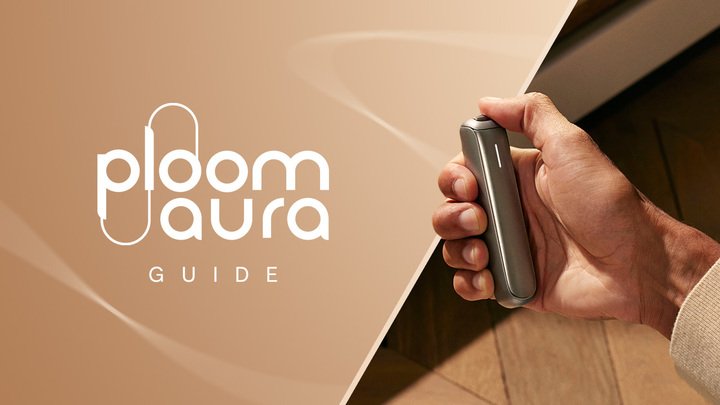
Designed to make heated tobacco simple, intuitive, and enjoyable, the Ploom Aura is one of the most sophisticated heated tobacco devices currently available. This device adopts advanced features like HeatFlow technology, a premium lightweight design, automatic heating, customisable session settings, and app connectivity. Whether you’re completely new to heated tobacco or upgrading from another kit, learning how to use the Ploom Aura properly will help you get the best flavour, performance, and battery life from every EVO stick.
In this guide, we’ll cover everything you need to know about getting started with your Ploom Aura, including how to set up the device, insert EVO sticks correctly, customise your sessions, connect to the Ploom app, clean your kit, and troubleshoot common issues.
Contents
- 1. What is the Ploom Aura?
- 2. Charging Your Ploom Aura for the First Time
- 3. How to Use the Ploom Aura
- 4. Can You Use the Ploom Aura Without Auto-Start?
- 5. How Long Does the Ploom Aura Battery Last?
- 6. Understanding Ploom Aura Heating Modes
- 7. How to Download the Ploom App on Android
- 8. How to Access the Ploom App on iPhone (iOS)
- 9. How to Pair Your Ploom Aura with the App
- 10. What Can You Do With the Ploom App?
- 11. How to Clean Your Ploom Aura
- 12. Common Ploom Aura Mistakes to Avoid
- 13. Ploom Aura FAQs
- 14. Final Thoughts
What is the Ploom Aura?
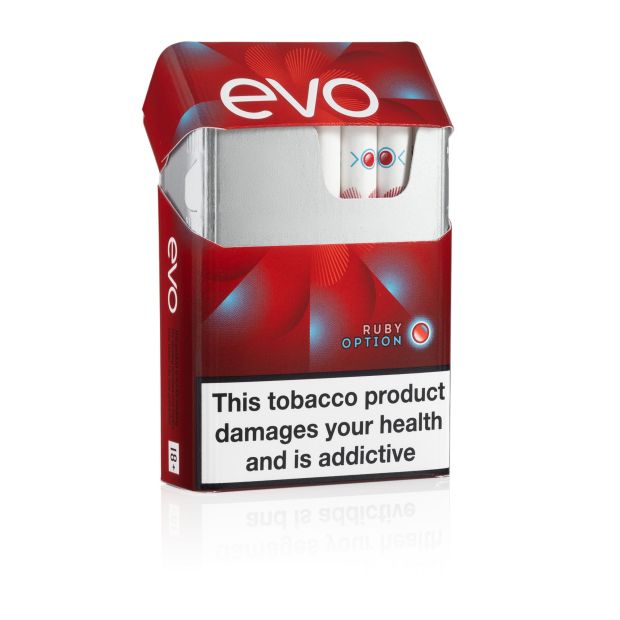
The Ploom Aura is a heated tobacco device designed to work exclusively with EVO ActivBlend tobacco sticks. Rather than burning tobacco like a cigarette, the Aura uses HeatFlow technology to heat tobacco to an optimal temperature, producing a rich and satisfying flavour experience without combustion.
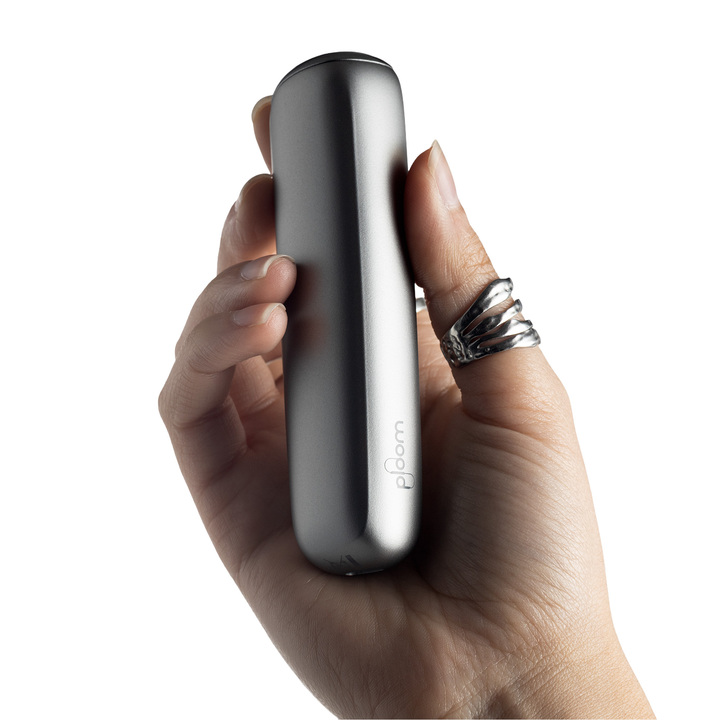
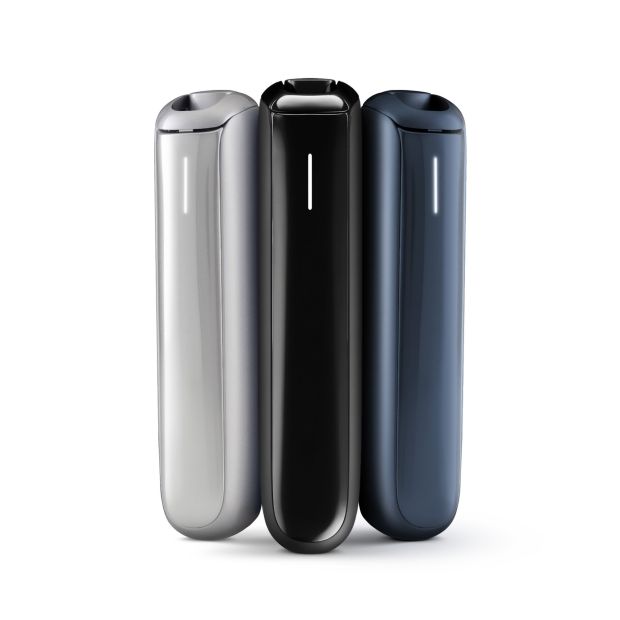
Compared to the previous Ploom X Advanced, the Aura features a slimmer profile, lighter construction, and a more refined ergonomic design. Its satin-finish body feels premium in the hand while remaining comfortable to carry in a pocket or bag throughout the day. Key features include:
- HeatFlow technology
- Automatic heating when an EVO stick is inserted
- Fast 25-second heat-up time
- Unlimited puffs during each session
- Customisable heating modes through the Ploom app
- Battery capacity capable of lasting approximately one full pack of EVO sticks
- Compatibility with the full EVO ActivBlend flavour range
- CleanSeal technology for a cleaner heated tobacco experience
Charging Your Ploom Aura for the First Time
Before using your Ploom Aura, it’s recommended that you fully charge the device. Connect the supplied USB-C charging cable and allow the battery to reach full charge before your first session. A fully charged device is capable of lasting through approximately a full pack of EVO sticks, making it suitable for all-day use for most users. When you open the slider, the LED indicator will display the remaining battery level so you can quickly check whether your device is ready for another session.
How to Use the Ploom Aura
Once you’ve opened the packaging and taken your Ploom Aura out of its box, setting it up and using it is fairly straightforward.
Step 1: Open the Slider
Slide open the top cover of the device to reveal the chamber. When opened, the LED indicator will display the current battery level, allowing you to quickly check whether you have sufficient charge for your next session. Of course, if you’ve already made sure to charge your Ploom Aura before first use, checking your battery level isn’t necessary.
Step 2: Insert an EVO Stick
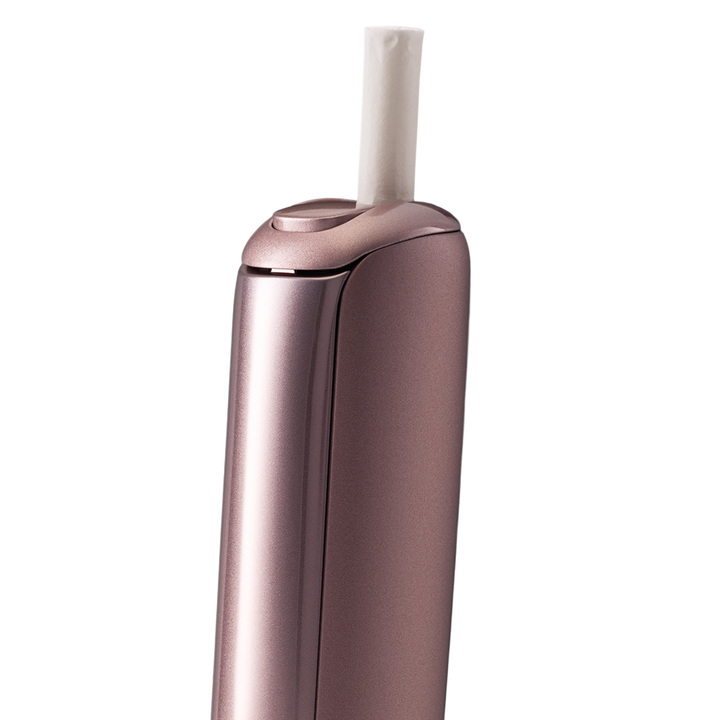
Take an EVO ActivBlend tobacco stick and carefully insert it into the chamber. Insert the stick only until the coloured line printed on the stick reaches the top of the device. Do not push the stick beyond this line – forcing the stick further into the chamber may damage the tobacco stick and negatively affect your experience.
Step 3: Allow the Ploom Aura to Heat
The Ploom Aura features Auto-Start technology. Once an EVO stick is inserted, the kit automatically begins heating without requiring any buttons to be pressed. During this stage, the LED indicator will pulse while the device warms the tobacco.
Step 4: Wait for the Ready Notification
The Ploom Aura heats up in just 25 seconds. When heating is complete, the device vibrates twice to let you know your session is ready to begin. However, for users selecting High Intensity mode through the Ploom app, heat-up time may vary slightly.
Step 5: Enjoy Your Session
Take slow, gentle draws to begin with, until you find your natural rhythm with the Ploom Aura. Many new heated tobacco users instinctively inhale too aggressively. For the best flavour and vapour production, aim for steady draws lasting around two to three seconds. Each session lasts up to five minutes and allows unlimited puffs throughout the duration, meaning you’re not restricted by a fixed puff count.
Step 6: Remove the Used EVO Stick
Once your session is complete, simply remove the EVO stick and dispose of it responsibly. Because EVO sticks utilise CleanSeal technology, loose tobacco remains contained within the stick itself, helping reduce mess inside the device.
Can You Use the Ploom Aura Without Auto-Start?
Yes, although Auto-Start is enabled by default, the Ploom Aura can also be activated manually. To begin heating manually, press and hold the button area located beneath the LED indicator for approximately one second. The device will vibrate and begin heating in the same way as it does when Auto-Start is enabled.
How Long Does the Ploom Aura Battery Last?
The Ploom Aura has been designed to comfortably last through a full pack of EVO sticks on a single charge under normal usage conditions and default settings – this makes it suitable for all-day use without frequent recharging. When the battery does need topping up, the fast-charging system gets the device back to full power quickly, ensuring minimal downtime between sessions.
Understanding Ploom Aura Heating Modes
One of the biggest upgrades introduced with the Ploom Aura is the ability to customise your sessions using the Ploom app. Different heating modes allow you to tailor the experience to your personal preferences, whether you’re looking for balanced flavour, stronger intensity, or different session lengths. All standard heating modes heat the tobacco in approximately 25 seconds, while the High Intensity mode uses a different heating profile to deliver a more powerful experience. Experimenting with the available settings allows you to find the combination that best suits your preferred flavour and satisfaction levels.
How to Download the Ploom App on Android
Android users can download the Ploom app directly from the Google Play Store. Simply follow the below steps:
- Open the Google Play Store.
- Search for “Ploom App”.
- Download and install the application.
- Open the app and either sign in or create a Ploom account.
Once installed, the app is ready to use.
How to Access the Ploom App on iPhone (iOS)
Unfortunately, the Ploom app is not currently available through Apple’s App Store; however, iPhone users can still access the full Ploom experience through the Ploom web app using the Bluefy browser.
- Open the App Store and search for “Bluefy Web BLE Browser”. Download and install the application.
- Open Bluefy and navigate to: ploom.com/app and select “Get the App on iOS”. Then click “Access the iOS Web App”. If this page isn’t loading correctly, manually visit: app.ploom.com
- Log in using your existing Ploom account or create a new account if required. Please note: iPhone users must always access the Ploom web app through Bluefy. For convenience, it’s recommended that you bookmark the Ploom web app within Bluefy so it can be opened quickly whenever you want to adjust settings or check device information.
How to Pair Your Ploom Aura with the App
Connecting your Ploom Aura to the app only takes a few moments:
- Ensure Bluetooth is enabled on your phone.
- Open the slider on your Ploom Aura and then close it again.
- Press and hold the button area on the device for approximately five seconds.
- Open your phone’s Bluetooth settings, locate your Ploom Aura in the list of available devices and select it.
- Allow a few moments for the connection to complete. Once the blue LED indicator on your device begins flashing, your Ploom Aura has successfully paired with your phone.
What Can You Do With the Ploom App?
The Ploom app unlocks several useful features designed to enhance your overall experience:
Heating Modes
Allows you to adjust heating intensity, heating profiles, and session settings to personalise your experience.
Device Radar
Track your device’s last known location and detect it when it’s close by, helping you find a misplaced Ploom Aura more easily.
Real-Time Status Information
Monitor battery levels, device status, and performance information whenever you need it.
Automatic Device Updates
Receive firmware updates that help keep your device running smoothly and securely.
Ploom Club Rewards
Join the Ploom Club rewards programme and earn points through eligible activities.
How to Clean Your Ploom Aura
Although EVO sticks feature CleanSeal technology that helps prevent loose tobacco from entering the device, regular cleaning is still recommended. Over time, dust, debris, and residue can still build up inside the chamber and affect performance. Ploom recommends cleaning the device approximately once a month, using the cleaning sticks that are included in your kit, or whenever you notice that inserting an EVO stick feels unusually tight. Follow the below steps to find out how to clean your Ploom Aura:
- Take off the front panel.
- Slightly dampen a Ploom cleaning stick with water.
- Open the slider and insert the cleaning stick into the heating chamber.
- Gently clean the internal surfaces. Pay particular attention to the areas around the slider and the two protruding sections near the top of the chamber.
- Dry any leftover moisture and reattach the front panel.
- Start a heating session without inserting an EVO stick.
Regular maintenance helps ensure consistent performance and flavour quality.
Common Ploom Aura Mistakes to Avoid
If you’re new to heated tobacco, avoiding these common mistakes can improve your experience:
- Forcing an EVO stick beyond the coloured line
- Taking sharp, aggressive puffs
- Removing the stick before the session ends
- Forgetting to clean the chamber regularly
- Allowing the battery to remain depleted for extended periods
- Ignoring available firmware updates through the app
Ploom Aura FAQs
The Ploom Aura heats up in approximately 25 seconds before it’s ready to use. However, this only applies if you’re using your device with the default settings and heating modes. If you opt for a higher-intensity heating mode, heat-up times may vary.
The Ploom Aura offers unlimited puffs during your session window rather than restricting users to a set puff count.
A standard session lasts up to five minutes, although session settings can be adjusted through the Ploom app.
The Ploom Aura is designed for use with EVO ActivBlend tobacco sticks.
Yes, the Ploom app allows you to customise heating intensity and session settings to suit your preferences.
Yes. While CleanSeal technology helps reduce tobacco debris, Ploom still recommends cleaning the device approximately once per month to maintain optimal performance.
Final Thoughts
The Ploom Aura combines simplicity with advanced customisation, making it suitable for both newcomers and experienced heated tobacco users. With automatic heating, fast 25-second heat-up, unlimited puffs, app connectivity, multiple heating modes, and compatibility with the EVO ActivBlend range, it delivers a modern heated tobacco experience that’s both convenient and highly customisable. By following the setup, pairing, and maintenance advice in this guide, you’ll be able to get the very best performance from your Ploom Aura day after day.