OXVA XLIM Pro 2 Not Working? Here’s How to Fix
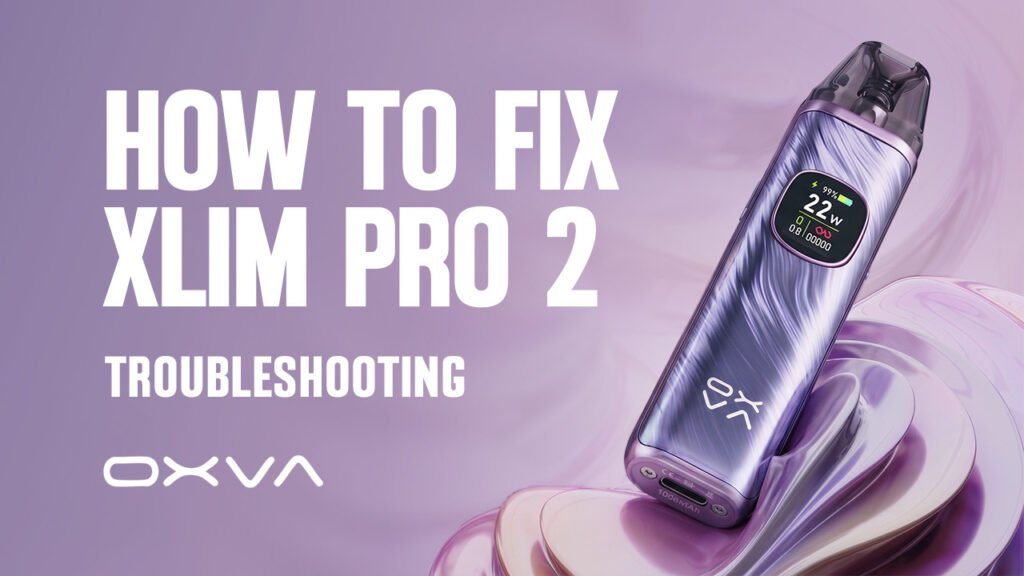
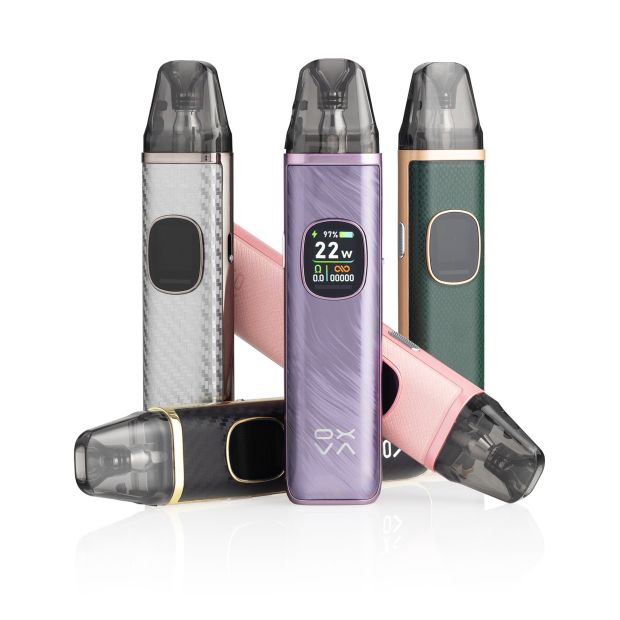
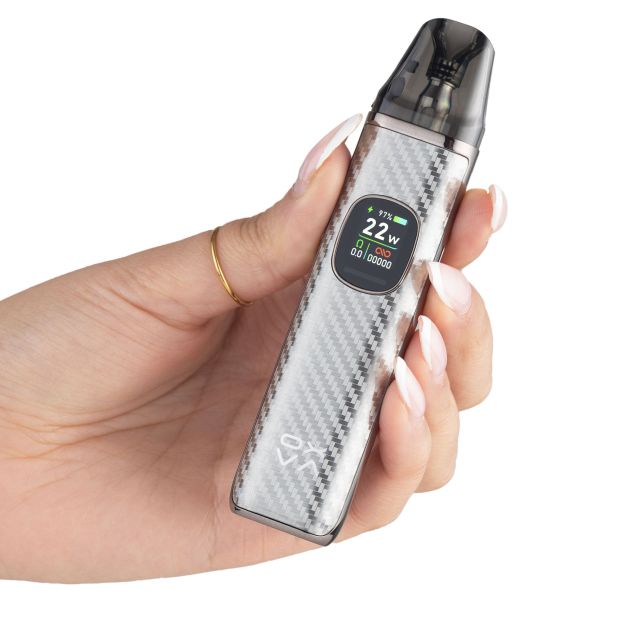
The OXVA XLIM Pro 2 is one of the most popular refillable pod vapes on the market, thanks to its compact design, adjustable airflow, Smart Mode, and wide compatibility with the XLIM pod range. While it’s generally a reliable device, like any vape kit it isn’t completely immune to the occasional issue. Whether your XLIM Pro 2 isn’t hitting, has stopped detecting the pod, is leaking e-liquid or producing a burnt taste, most problems have a straightforward explanation. In many cases, the cause isn’t a fault with the device itself, but something simple such as a worn-out pod, an incorrect wattage setting, e-liquid residue on the contacts or routine wear and tear.
Understanding why these problems happen is just as important as knowing how to fix them. For example, continuing to use a burnt pod won’t improve the flavour, and repeatedly cleaning a leaking pod won’t solve the problem if the pod itself has become damaged. Knowing the underlying cause allows you to apply the right solution first time, saving both time and unnecessary replacement costs. In this guide, we’ll cover the most common OXVA XLIM Pro 2 problems, explain what causes them, and walk you through the steps to get your device working properly again. We’ll also share a few preventative tips along the way to help you avoid these issues and keep your vape performing at its best for longer.
Contents
- OXVA XLIM Pro 2 isn’t hitting at all
- Burnt taste when vaping
- Leaking or excess e-liquid
- OXVA XLIM Pro 2 not charging properly
- XLIM Pro 2 not detecting pods
- Weak flavour or reduced vapour
- Auto-firing (firing without inhaling)
- Final Thoughts
OXVA XLIM Pro 2 isn’t hitting at all
If your OXVA XLIM Pro 2 isn’t producing any vapour when you inhale or press the fire button, don’t assume the device has failed. In most cases, the issue is caused by something simple, such as the device being switched off, a poor connection between the pod and battery, a faulty pod, or incorrect power settings.
The XLIM Pro 2 relies on a clean electrical connection between the battery and the pod’s built-in coil. If that connection is interrupted by dirt, condensation or e-liquid residue, the device may not recognise the pod and won’t fire. Likewise, if the wattage has been adjusted outside of the recommended range for the installed pod, the device may not perform as expected. Fortunately, these are all quick checks that can usually be carried out in a matter of minutes.
How to fix/prevent
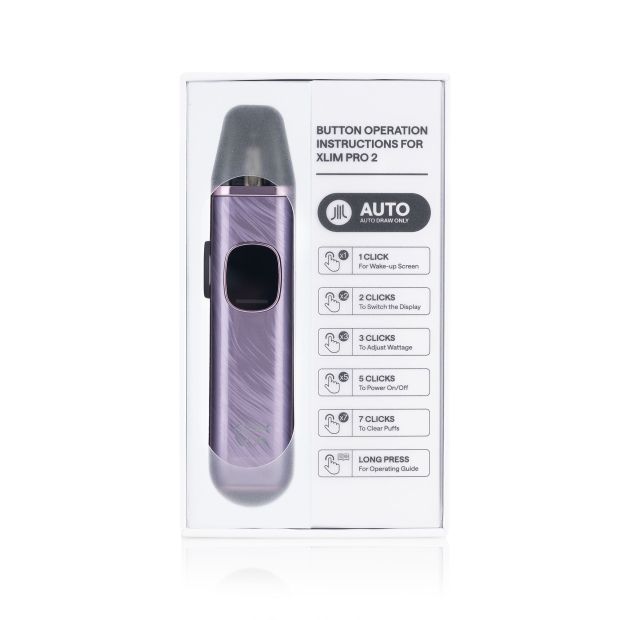
- Check that the device is switched on: The XLIM Pro 2 can be turned on and off using the fire button, and you would be surprised how common it is for users to accidentally turn their device off while carrying it in their pocket or bag. Press the power button five times in quick succession to turn the XLIM Pro 2 on.
- Confirm the device has sufficient charge: Try charging your XLIM Pro 2 to confirm the lack of firing isn’t due to a low battery level.
- Remove the pod and inspect the connection points: Check for any dust, lint, condensation or e-liquid inside the pod chamber or on the metal contacts at the bottom of the pod. Gently wipe both surfaces with a dry cotton bud or tissue before reinserting the pod.
- Check the wattage setting: If you’ve manually adjusted the wattage, make sure it’s appropriate for the resistance of the pod you’re using. Setting the wattage too high or too low can affect the firing function, so it’s always worth checking the recommended wattage range for your specific XLIM pod.
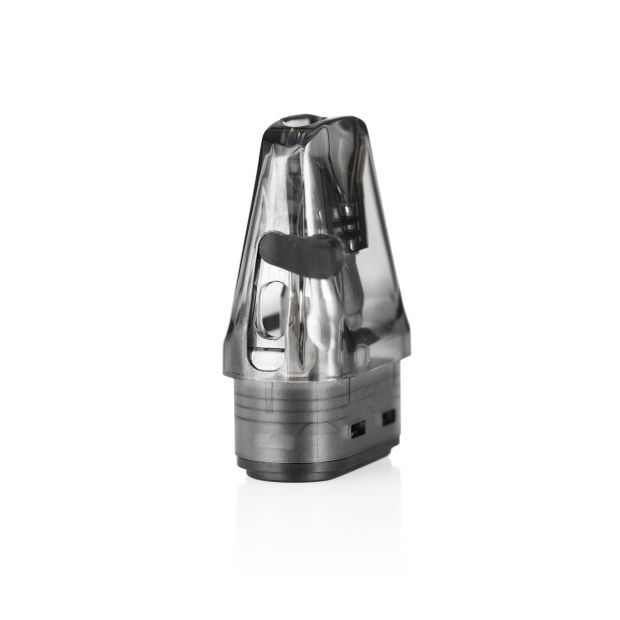
- Try a new pod: Because the XLIM Pro 2 uses pods with built-in coils, you’ll need to replace the entire pod rather than just the coil. Occasionally, a pod can be faulty straight out of the box or the coil may have reached the end of its lifespan.
- Contact the retailer if the problem persists: If you’ve worked through all of the above steps and the device still won’t produce vapour with a brand-new pod, it’s possible the fault lies with the battery or internal electronics. At this point, it’s best to contact the retailer you purchased the device from for further advice or a warranty assessment.
Burnt taste when vaping
A burnt taste coming from the OXVA XLIM Pro 2 is almost always a sign that the pod’s built-in coil has reached the end of its usable life. Inside every OXVA pod is a small cotton wick that absorbs e-liquid and feeds it to the coil. Once that cotton starts to dry out or degrade, it can no longer saturate properly, and the coil begins heating dry material instead of liquid. That’s what creates the harsh, burnt flavour.
In most cases, this isn’t a fault with the device at all. It’s normal wear and tear. Depending on usage habits, a pod typically lasts anywhere from a couple of weeks up to around a month. If you’re experiencing a burnt taste within that timeframe, it usually just means the coil has naturally worn out rather than there being a technical issue.
The more important scenario is when a burnt taste appears very early, especially with a brand-new pod. That’s when usage habits, e-liquid choice, or setup issues are usually the cause. The key thing to understand is that once a pod tastes burnt, there is no real recovery process. The wick inside has already been damaged, and no amount of refilling or resting will reverse it. The only reliable fix is replacement.
How to fix/prevent
- Replace the pod if the burnt taste is already present: Once the coil has burnt, it cannot be restored, even if the flavour seems to improve briefly.
- Prime every new pod before use: Fill the pod with e-liquid, leaving a small air gap, and allow the wick to absorb properly. You can also take a few gentle dry pulls before inserting the pod into the device. After filling, leave it standing for around 5-10 minutes before vaping.
- Keep the pod topped up: Running the e-liquid too low exposes the wick and leads to overheating. As a rule, try not to let the liquid level drop below halfway.
- Store the device upright: Laying the XLIM Pro 2 on its side can disrupt how the wick stays saturated, especially when the pod is partially filled.
- Use the correct e-liquid for the coil resistance: The OXVA XLIM Pro 2 uses pods with different built-in coil resistances, and the liquid you use should match that resistance rather than being chosen arbitrarily. As a general rule, coils below 0.8ohm work better with high VG e-liquids, as these thicker liquids are designed for increased vapour production and perform best in lower resistance setups with stronger wicking capability. In contrast, coils of 0.8ohm and above are better suited to 50PG/50VG e-liquids or nicotine salts, which are thinner and wick more efficiently. Using the wrong pairing can cause poor wicking, overheating, and ultimately a burnt taste, even if the device itself is functioning correctly.
- Be mindful of flavour type: Dark, heavily sweetened e-liquids tend to caramelise on the coil faster than transparent or menthol-based liquids, which shortens pod lifespan noticeably.
At its core, a burnt taste is almost always about one thing: the coil isn’t staying saturated fast enough for how the device is being used. Once you match the liquid, usage pattern and priming routine to the pod system, it becomes far less likely to happen in the first place.
Leaking or excess e-liquid
Leaking issues with the OXVA XLIM Pro 2 usually look worse than they are. In most cases, the device itself isn’t faulty. What’s actually happening is excess e-liquid building up inside the pod chamber or airflow pathway, which then escapes either from the base of the pod or through the mouthpiece.
The XLIM Pro 2 is a sealed pod system with a magnetic connection, so any leaking is almost always caused by pressure imbalance or user handling rather than a structural defect. Things like overly long or forceful inhales, inconsistent storage positions, or overfilling the pod can all disrupt how the coil regulates liquid flow. Once that balance is off, the pod either floods or pushes liquid into areas it shouldn’t be.
It’s also worth separating two different symptoms that often get grouped together. True leaking usually shows up around the base of the pod, while gurgling or spitback tends to come from the mouthpiece when excess e-liquid has entered the airflow channel.
How to fix/prevent
- Remove the pod and check where the liquid is coming from: If it’s a one-off leak around the base, this is usually condensation or minor flooding rather than a faulty pod.
- Wipe the pod and device connection area thoroughly: Make sure both the base of the pod and the pod chamber are completely dry before reinserting.
- If you’re experiencing gurgling or spitback, clear the excess liquid: Remove the pod from the device, place a tissue over the bottom of the pod, and gently blow through the mouthpiece to push out any flooded e-liquid. This helps reset the airflow channel and usually restores normal performance.
- Avoid long and hard inhales: This can pull more e-liquid into the airflow system than the coil can efficiently handle.
- Keep the pod upright where possible: Laying the device on its side increases the chance of liquid seeping into the airflow path.
- Avoid overfilling: Always stay within the recommended fill level to prevent pressure build-up inside the pod.
- Replace the pod if leaking continues: If the issue keeps happening even when usage is correct, the internal seals or coil structure may be worn; therefore, the entire pod will need replacing.
Once excess e-liquid is cleared and usage habits are adjusted, most leaking and gurgling issues don’t tend to return.
OXVA XLIM Pro 2 not charging properly
If your OXVA XLIM Pro 2 won’t charge, the problem is often much simpler than a failed battery. In many cases, charging issues are caused by a blocked USB-C charging port, a damaged charging cable, or using an unsuitable power source.
Because the charging port is exposed, it’s easy for dust, pocket lint and other debris to accumulate inside over time. Even a small amount of debris can prevent the USB-C cable from making a proper connection, causing the device to charge intermittently or not at all. Similarly, charging cables naturally wear out with regular use, so it’s worth ruling out a faulty cable before assuming there’s a problem with the device itself.
The power source you’re using can also make a difference. While the XLIM Pro 2 has built-in charging protection, it’s generally best to avoid charging it from high-output fast-charging mains adapters where possible. Instead, use a lower-power USB source, such as a laptop, desktop computer or a standard 5V USB adapter, which is better suited to charging small vape batteries.
How to fix/prevent
- Inspect the USB-C charging port: Look for any dust, lint or debris that may be preventing the cable from connecting properly, then carefully remove it using a dry, non-metallic tool or a soft brush.
- Try a different USB-C charging cable: A damaged or worn cable is one of the most common causes of charging issues.
- Use a different power source: If you’ve been charging from a high-output mains adapter, try plugging the cable into a laptop, desktop computer or another low-power USB source instead.
- Contact the retailer or manufacturer if the problem persists: If the device still won’t charge after trying a different cable, cleaning the charging port and using another power source, the issue is likely to be an internal hardware fault. At this point, it’s best to stop using the device and contact the retailer or manufacturer to discuss a repair or replacement under warranty.
XLIM Pro 2 not detecting pods
If your OXVA XLIM Pro 2 isn’t recognising the pod, it’s usually because the device is unable to establish a proper connection with the pod’s built-in coil. This can happen if the contact points are obstructed by e-liquid or debris, the battery is flat, the device has accidentally been switched off, or the wattage has been manually adjusted to an unsuitable level for the installed pod. Fortunately, this is rarely a sign that the device itself is faulty. In most cases, the issue can be resolved with a few simple checks before considering replacing any hardware.
How to fix/prevent
- Make sure the device is switched on and sufficiently charged: If the battery is completely depleted or the device has been accidentally powered off, it won’t fire the pod.
- Remove the pod and clean the contact points: Check the metal connectors on both the base of the pod and inside the pod chamber for any e-liquid, condensation or debris. Wipe both areas with a dry tissue or cotton bud before reinserting the pod.
- Check the wattage setting: If you’ve manually adjusted the wattage, make sure it’s appropriate for the resistance of the pod you’re using. Alternatively, you can let the XLIM Pro 2’s Smart Mode automatically select the recommended wattage, removing the guesswork and helping to ensure the pod performs correctly.
- Reinsert the pod securely: The magnetic pod should sit flush inside the device so the contact points can make a reliable electrical connection.
- Replace the pod: If the device still doesn’t recognise the pod after completing the steps above, the built-in coil may be faulty. Because the XLIM Pro 2 uses pods with integrated coils, you’ll need to replace the entire pod with a new one.
If a brand-new pod still isn’t detected after cleaning the contacts, checking the wattage and ensuring the device is charged, the problem is more likely to be with the device itself. In this situation, it’s worth contacting the retailer or manufacturer to discuss a replacement.
Weak flavour or reduced vapour
If your OXVA XLIM Pro 2 isn’t producing as much flavour or vapour as it used to, the cause isn’t always a faulty pod. In many cases, it’s simply down to the way the device is being used or the setup you’ve chosen. A low battery or low e-liquid level can both reduce performance, while a worn-out pod will naturally lose flavour as the coil reaches the end of its lifespan.
The airflow setting can also make a noticeable difference. If the airflow slider is almost or completely closed, the device produces a tighter draw with less vapour. Opening the airflow slightly allows more air to pass through the coil, resulting in denser clouds and often improving flavour.
Your choice of pod resistance and e-liquid also plays a role. Higher-resistance pods produce a cooler, more discreet vape with less vapour, whereas lower-resistance pods generate larger clouds and a more intense vape. Likewise, many vapers find nicotine salt e-liquids provide a stronger, cleaner flavour than standard freebase nicotine e-liquids. If you’ve recently switched to a higher-resistance pod or a different e-liquid formula and noticed weaker flavour or vapour, it may simply be that your current setup doesn’t suit your preferences.
How to fix/prevent
- Charge the battery before it becomes too low: For the most consistent performance, try not to let the battery drop below 50% before recharging.
- Keep the pod topped up with e-liquid: Avoid letting the e-liquid level fall below halfway, as this can affect coil performance and reduce flavour.
- Adjust the airflow: If the airflow is almost or fully closed, open it slightly to increase vapour production.
- Consider your pod resistance: If you’re using a higher-resistance pod but want more vapour and a warmer vape, switching to a lower-resistance XLIM pod may provide a better experience.
- Try a nicotine salt e-liquid: If flavour is your priority and you’re currently using a standard freebase e-liquid, switching to a nicotine salt e-liquid can often provide a more flavourful vape, provided you’re using a compatible pod (0.8ohm and above).
- Replace the pod: If you’ve been using the same pod for between two weeks and a month and the flavour has gradually declined, the built-in coil has likely reached the end of its lifespan and it’s time to fit a new pod.
Auto-firing (firing without inhaling)
If your OXVA XLIM Pro 2 starts firing without you taking a puff, it should be treated as a fault rather than normal behaviour. In most cases, this happens because e-liquid has leaked into the pod chamber and reached the device’s electrical contacts or internal components. This can occur if the pod has been leaking for some time or if condensation and e-liquid residue haven’t been cleaned away regularly.
When e-liquid builds up around the contacts, it can interfere with the device’s electronics and cause it to think you’re taking a draw when you’re not. If the problem is caught early, a thorough clean may be enough to resolve it. However, if e-liquid has seeped further inside the device, it may have caused permanent internal damage.
How to fix/prevent
- Remove the pod immediately: If the device is firing by itself, take the pod out to prevent the coil from continuing to heat unnecessarily.
- Clean the pod chamber and contact points: Wipe the inside of the pod chamber, the metal connectors on the device, and the base of the pod with a dry tissue or cotton bud. Make sure everything is completely dry before reinserting the pod.
- Replace the pod: If the original pod has been leaking, fit a new one, as a damaged pod may continue allowing e-liquid to seep into the device.
- Test the device with the new pod installed: If the auto-firing has stopped, the issue was most likely caused by the leaking pod.
- Stop using the device if the problem continues: If the XLIM Pro 2 continues to auto-fire even with a brand-new pod fitted, it’s likely that e-liquid has damaged the internal electronics. In this case, discontinue use and contact the retailer or manufacturer to arrange a warranty inspection or replacement.
Final Thoughts
Most OXVA XLIM Pro 2 issues can be resolved without replacing the device. In fact, problems such as burnt flavour, leaking, weak vapour production, charging difficulties or pods not being detected are often caused by everyday wear, incorrect settings or simple maintenance issues rather than a manufacturing defect. Looking after the device goes a long way towards preventing these problems. Keeping the contact points clean and dry, using the correct e-liquid for your chosen pod resistance, priming every new pod before use, keeping both the battery and e-liquid topped up, and replacing pods once they’ve reached the end of their lifespan will all help your XLIM Pro 2 deliver consistent flavour and performance.
If you’ve worked through the troubleshooting steps in this guide and the problem still persists, particularly after fitting a brand-new pod where applicable, it’s more likely that the device itself has developed a fault. At that stage, it’s best to stop using the kit and contact the retailer or manufacturer for further support, especially if it’s still covered by warranty. With regular maintenance and a little preventative care, the OXVA XLIM Pro 2 should provide a reliable vaping experience for months to come, with most issues being quick and easy to resolve before they become more serious.